Privacy-first analytics for websites & apps
The privacy-friendly alternative to Google Analytics — for websites and apps. No cookies, nothing stored on your visitors' devices, data stored in the EU. Built for GDPR-compliant use.
- All Business features free for 7 days
- No credit card required
- Set up in minutes
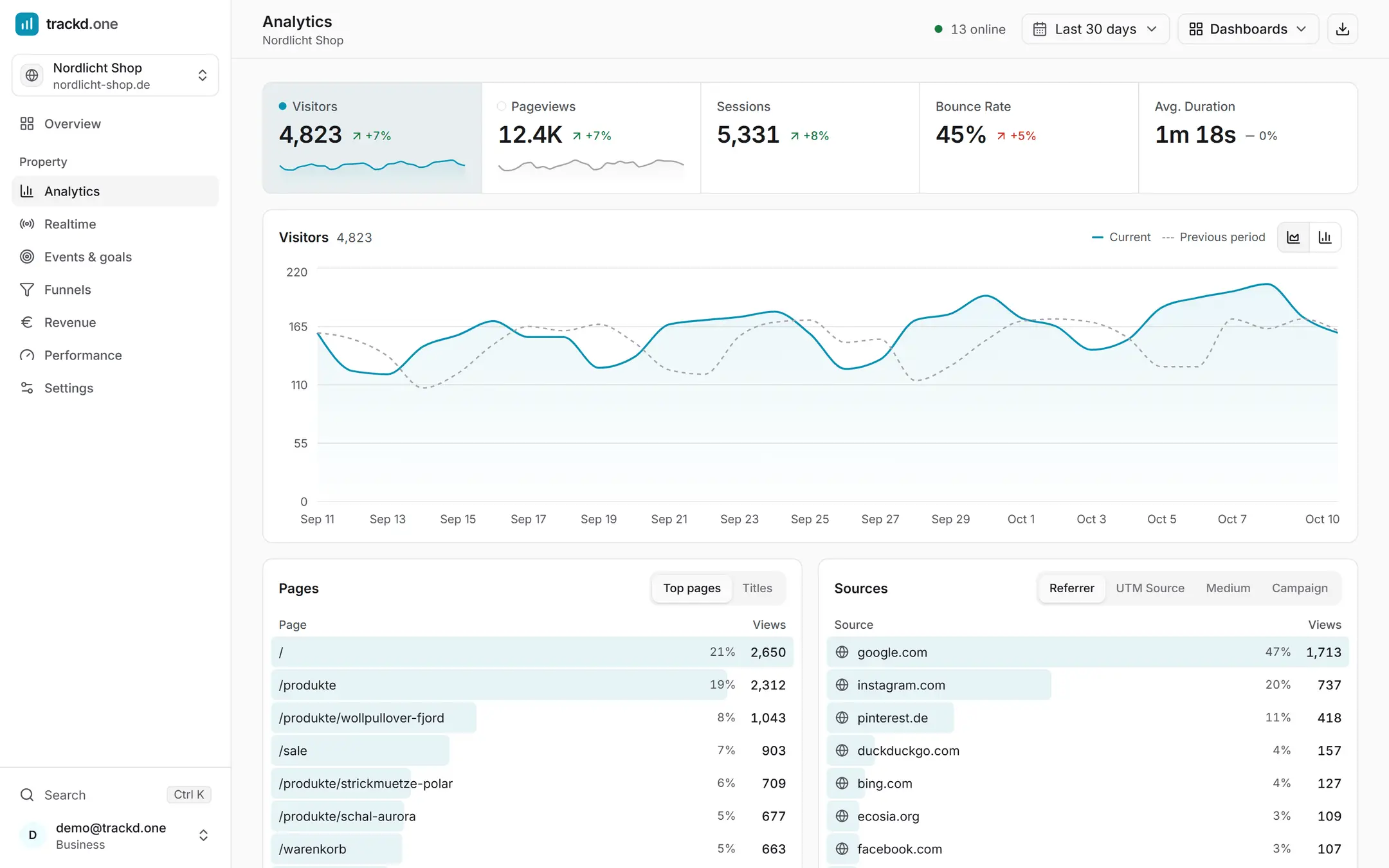
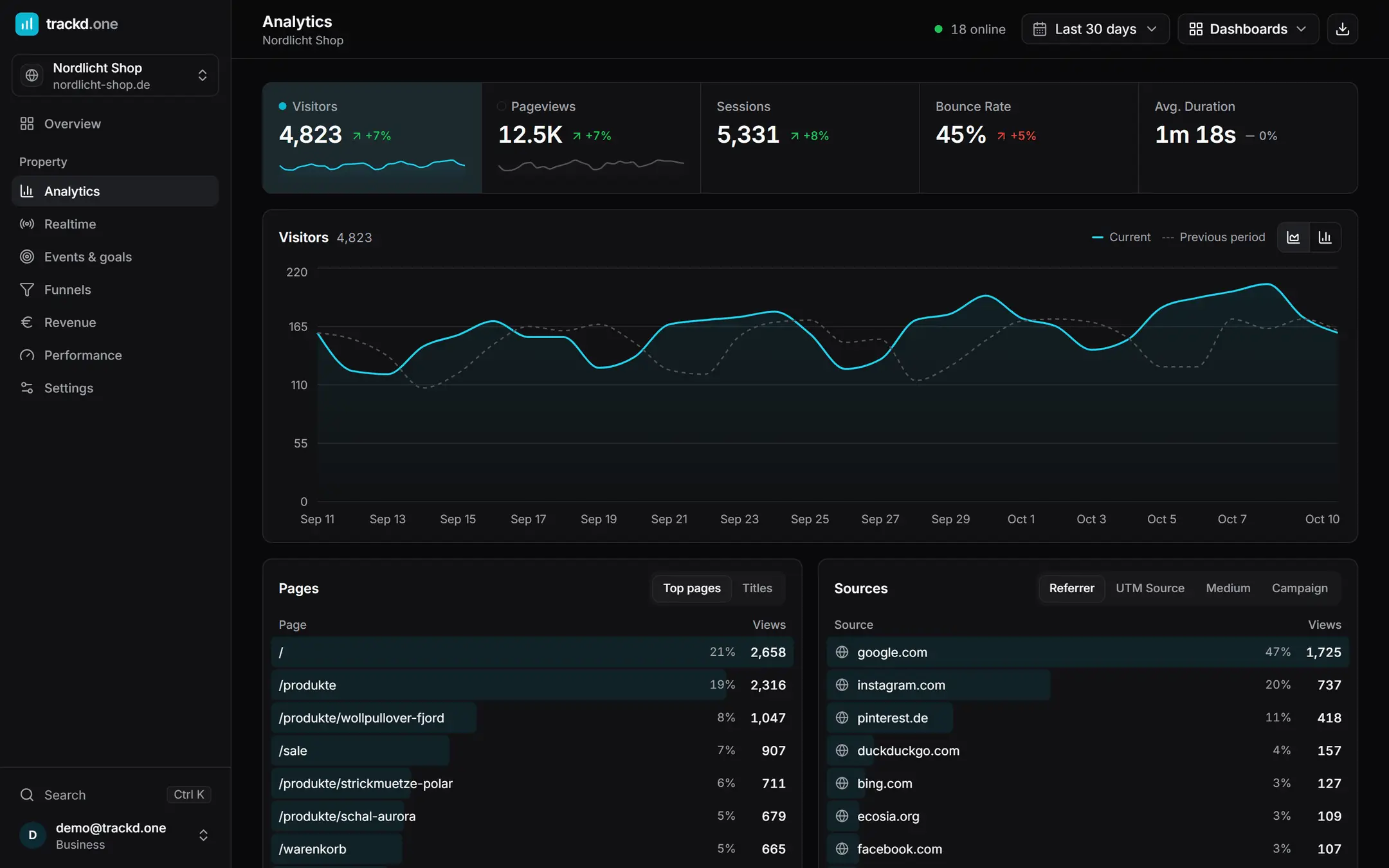
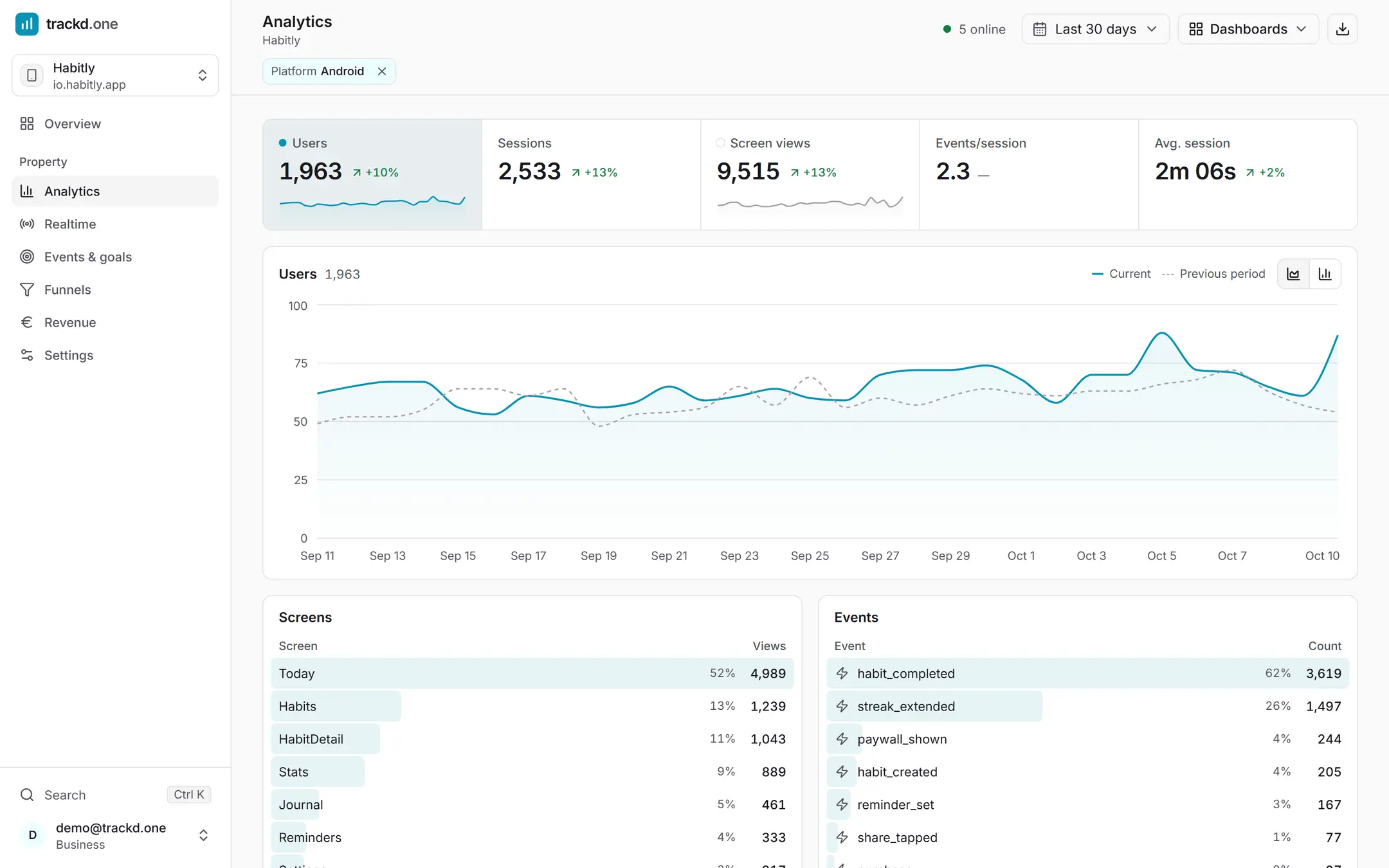
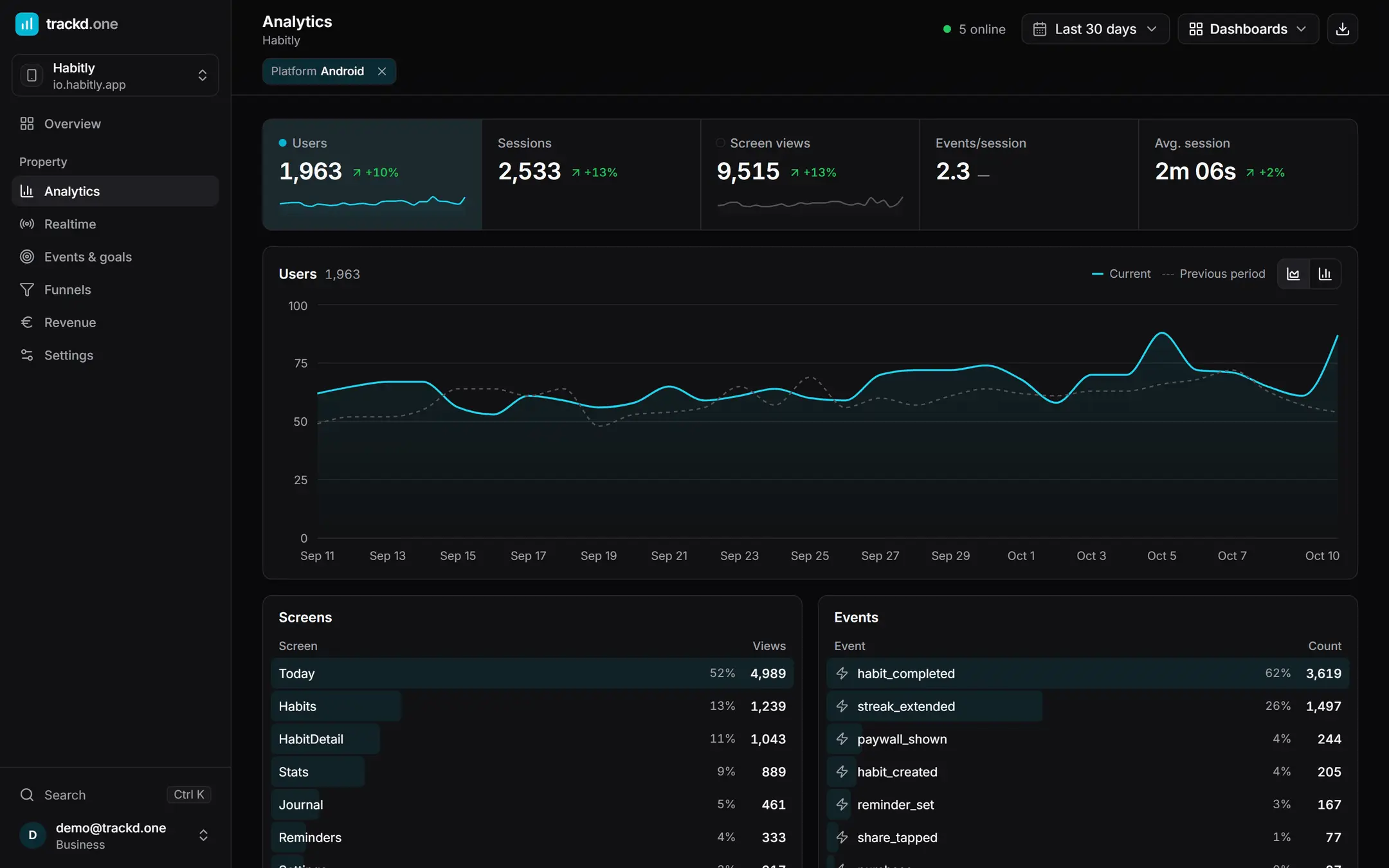
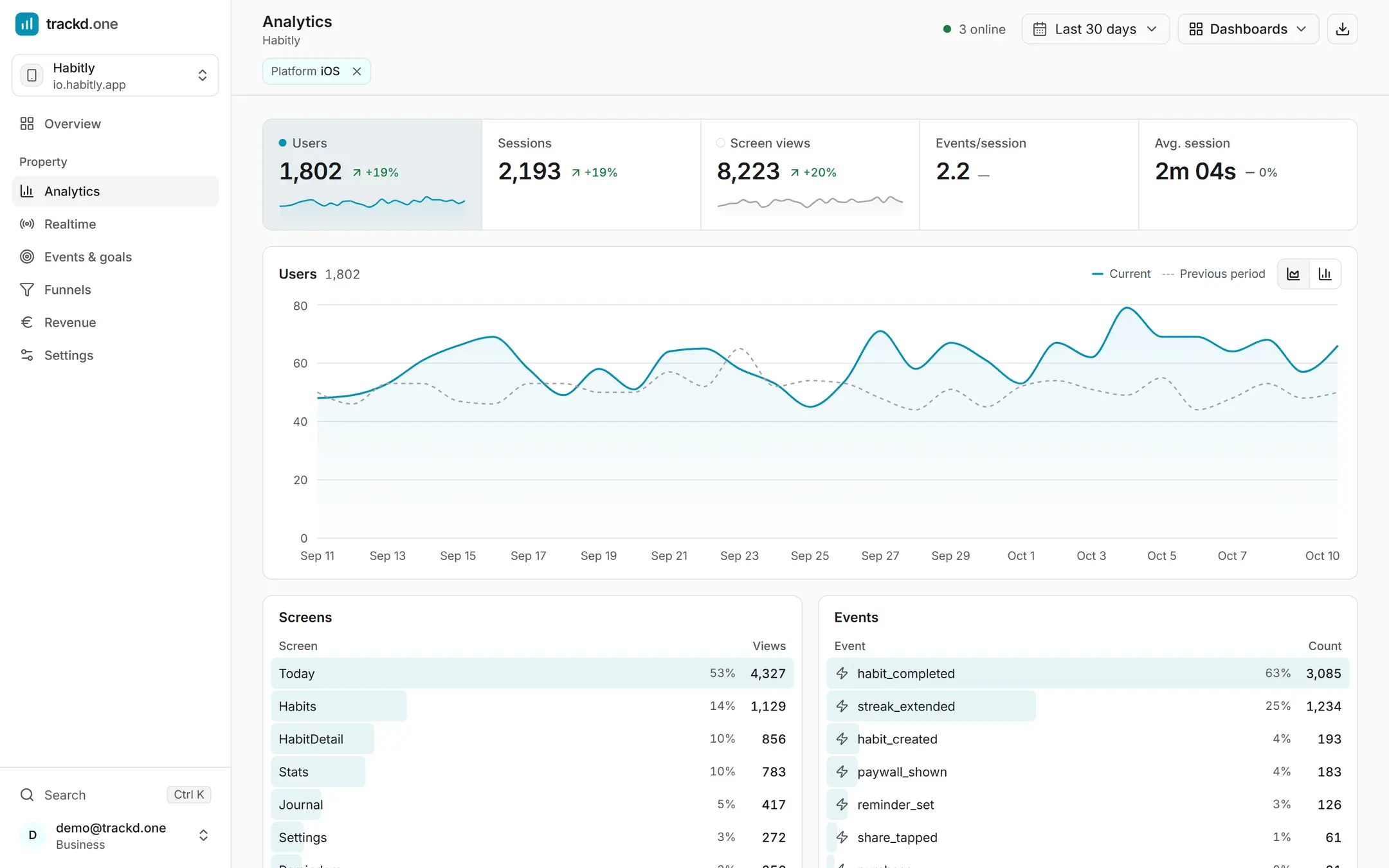
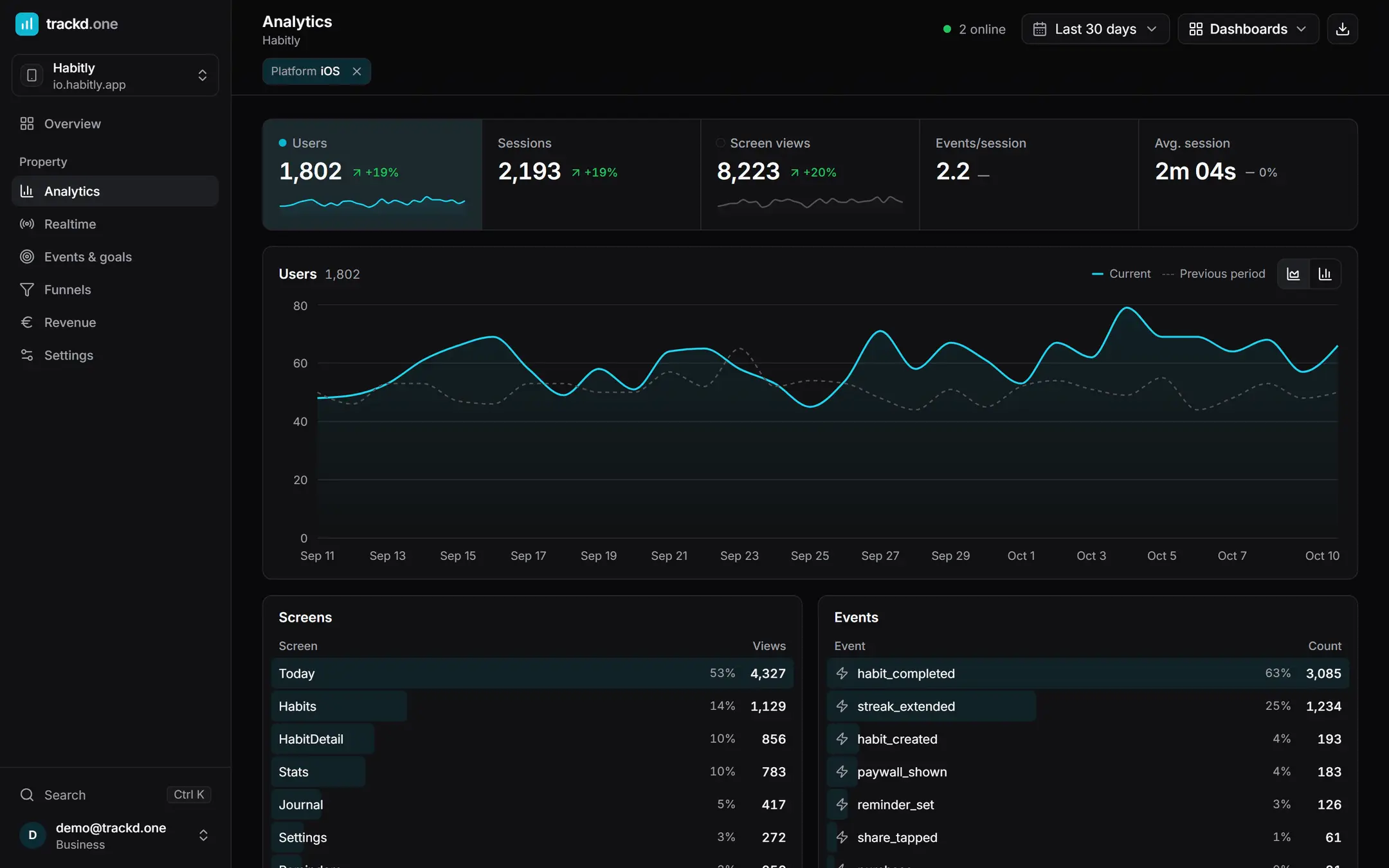
Real screenshots from trackd.one — with demo data.
- Core script ≈ 2 KB
- Data stored in the EU
- No cookies, no localStorage
- Web script honors GPC & DNT
A tour of the dashboard
Real views from trackd.one — with demo data of an online shop. Everything on one page, no menu maze.
Dashboard areas
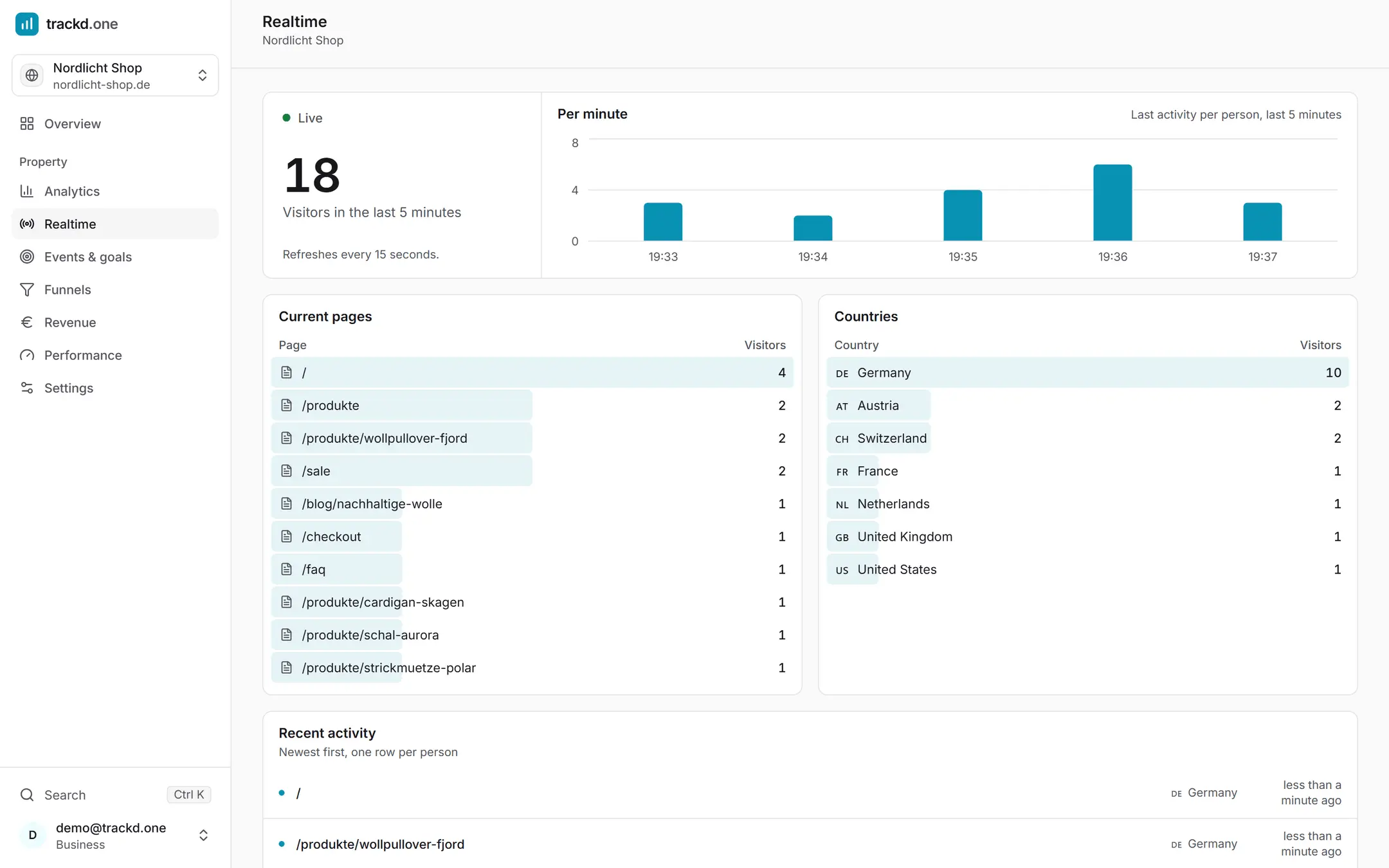
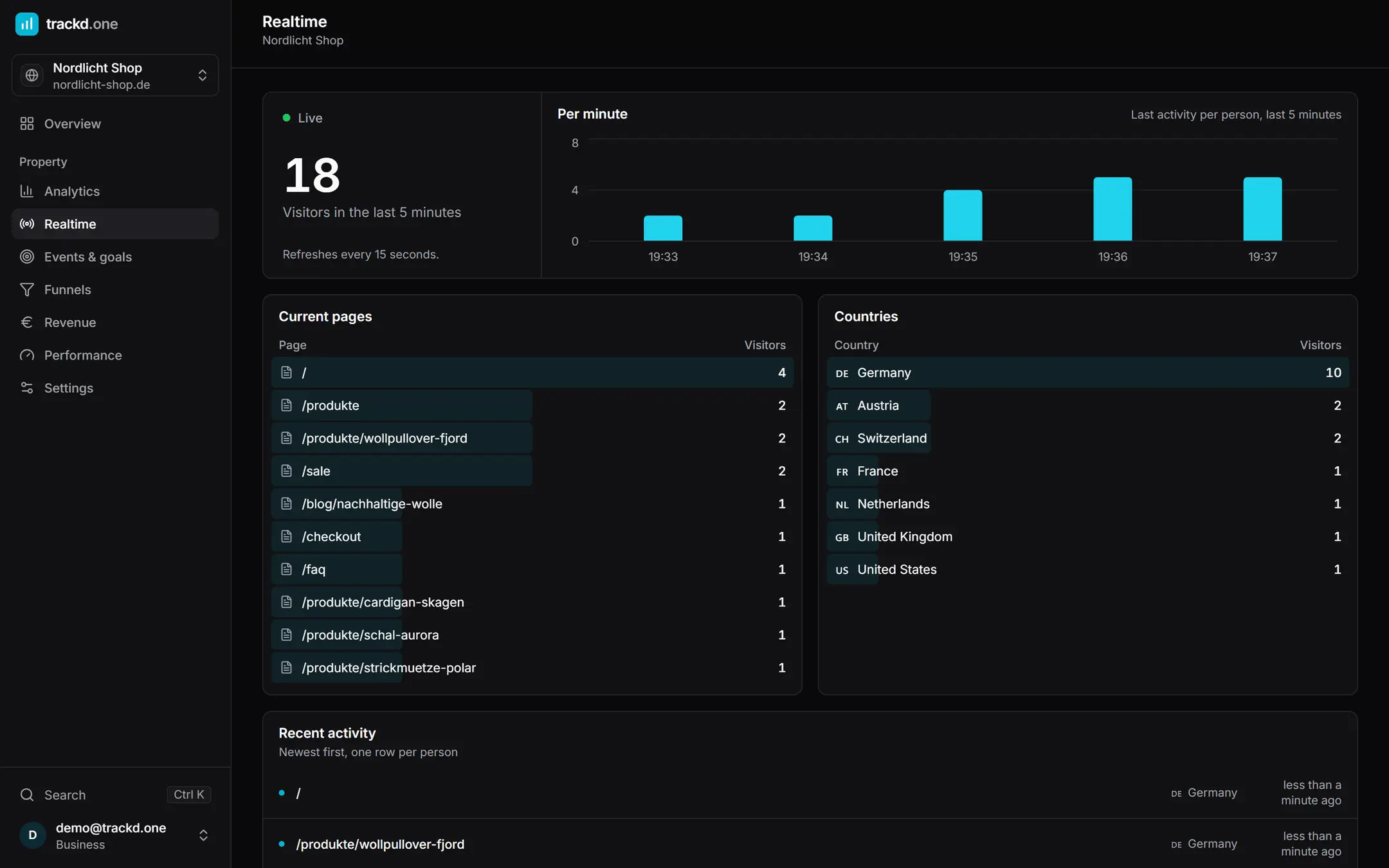
Who is here right now? Active visitors, pages and countries of the last five minutes — updates every 15 seconds.
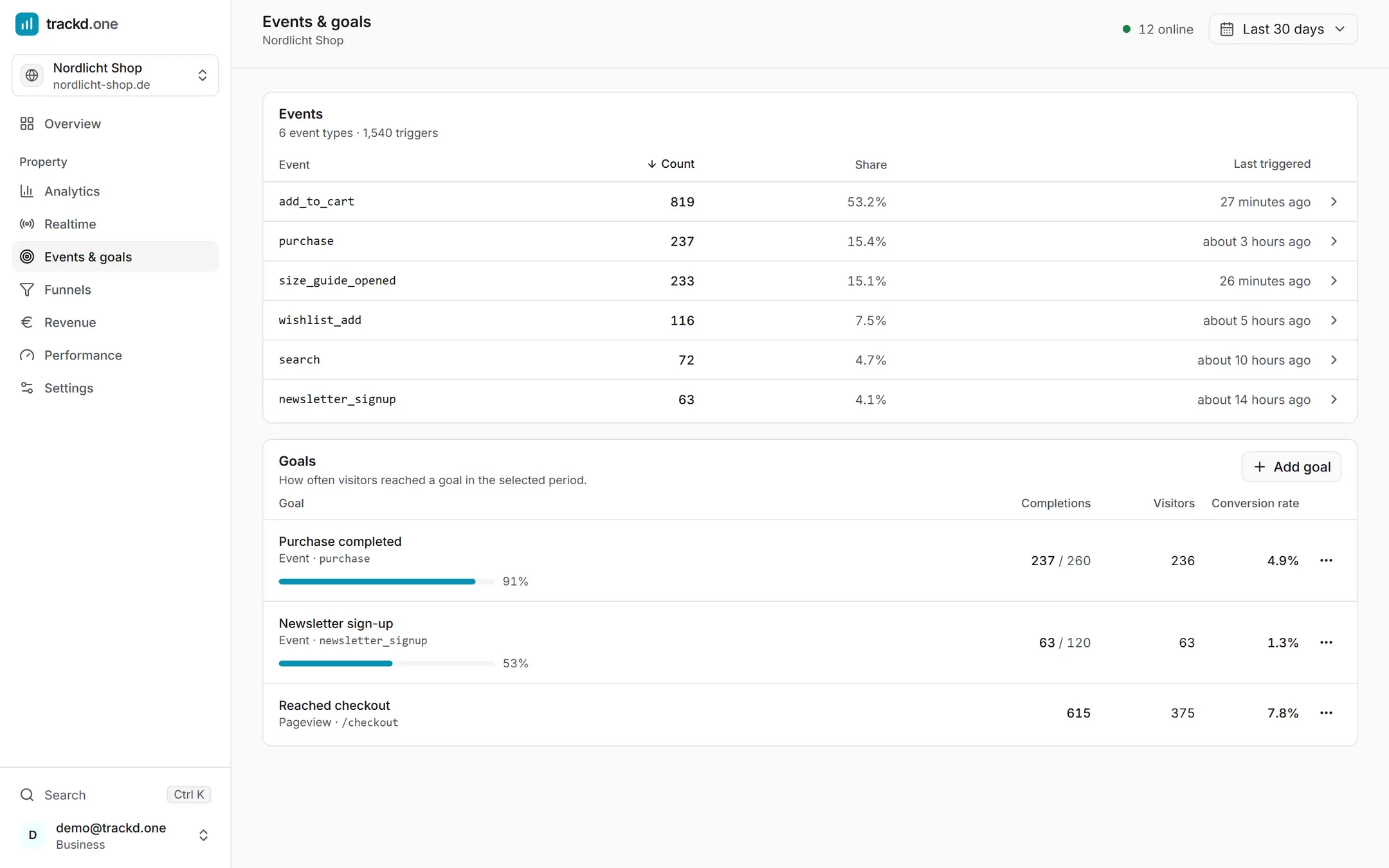
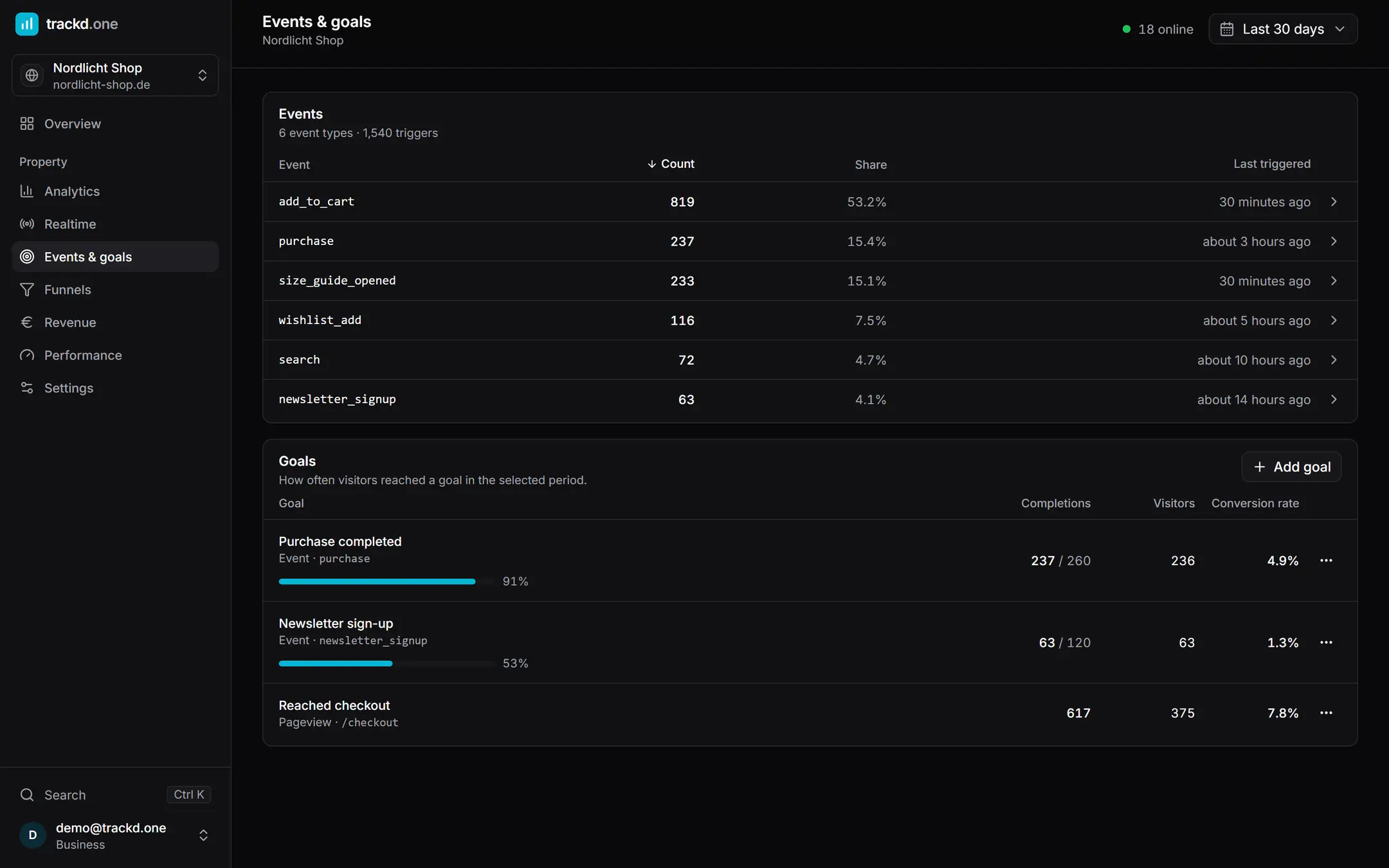
Custom events like add_to_cart and goals with targets and conversion rate — from events or pageviews.
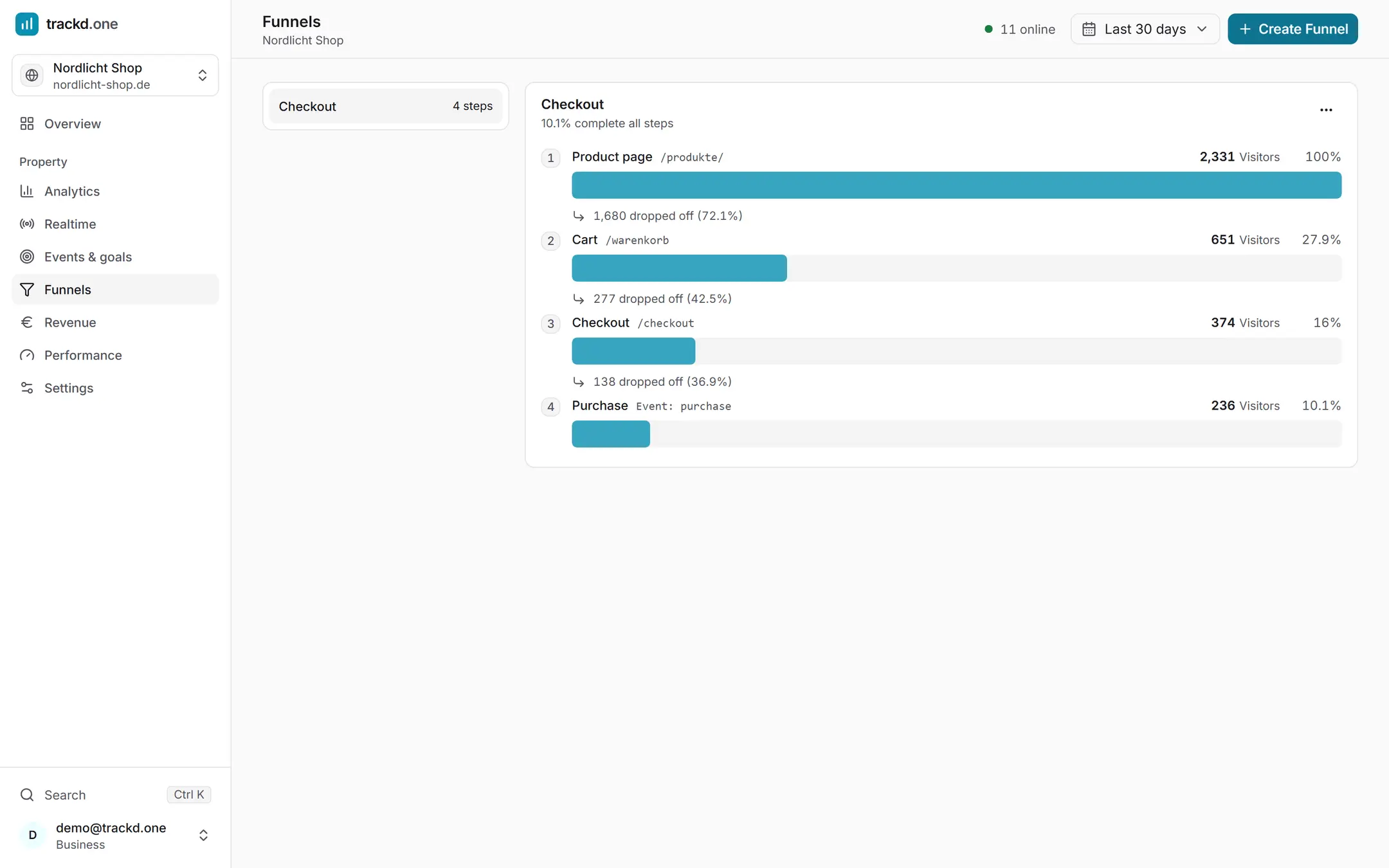
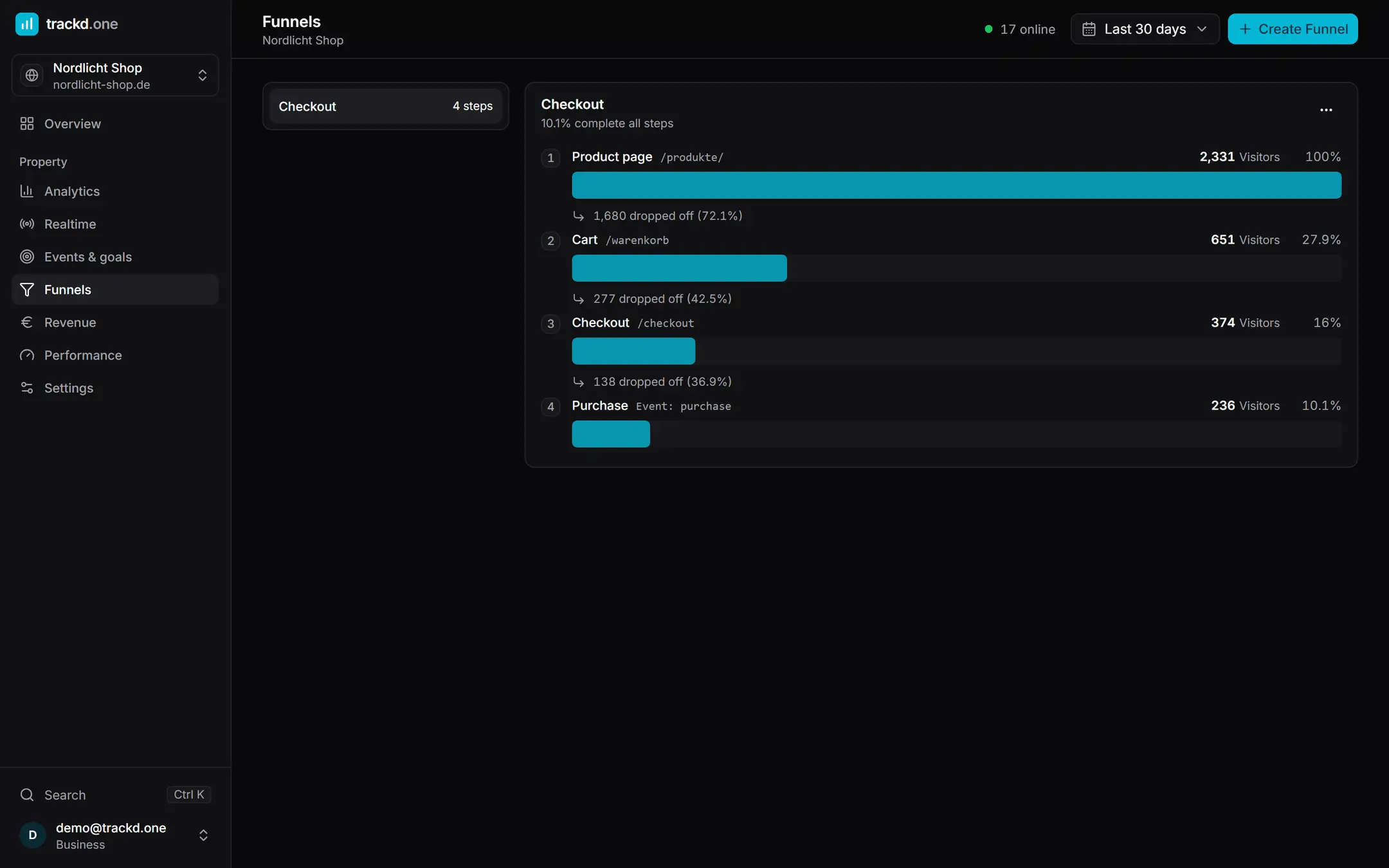
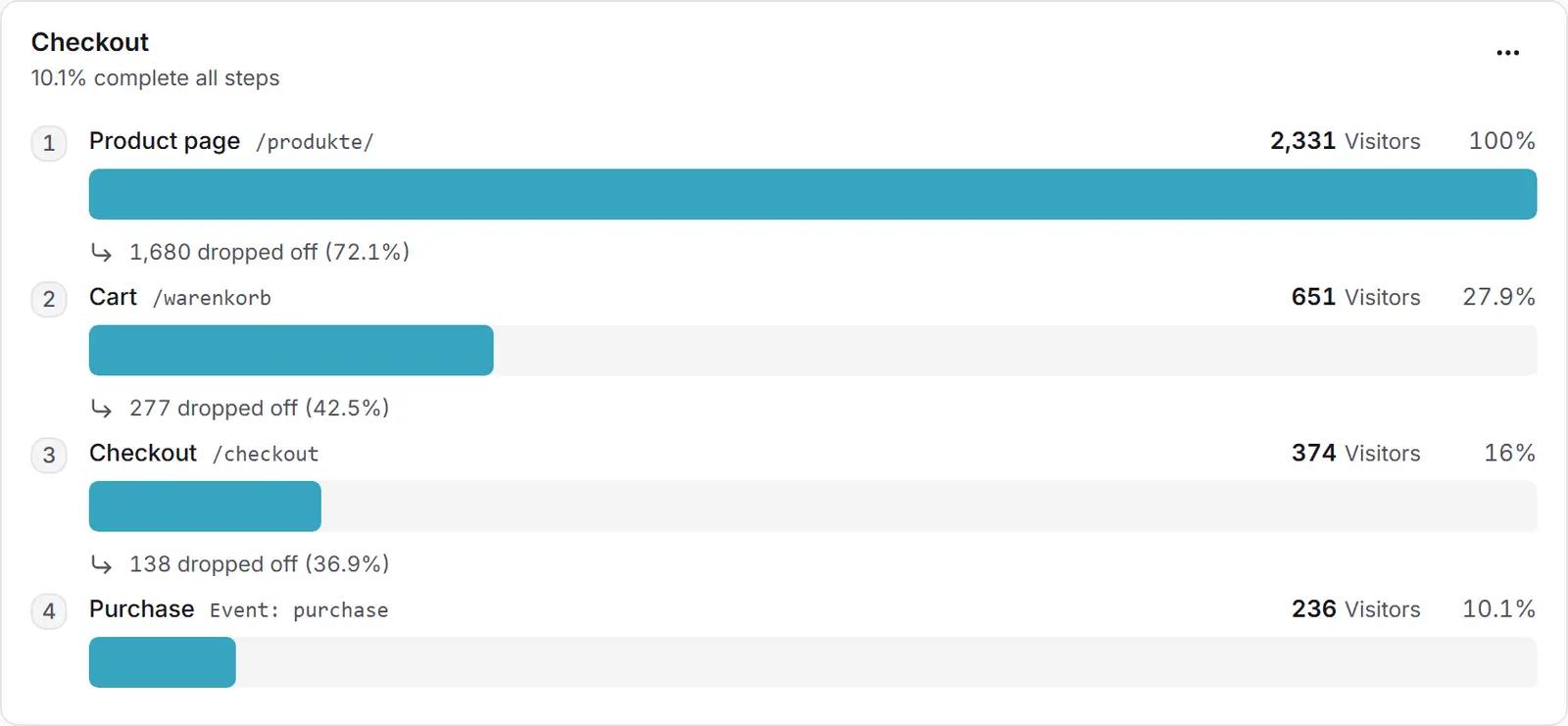
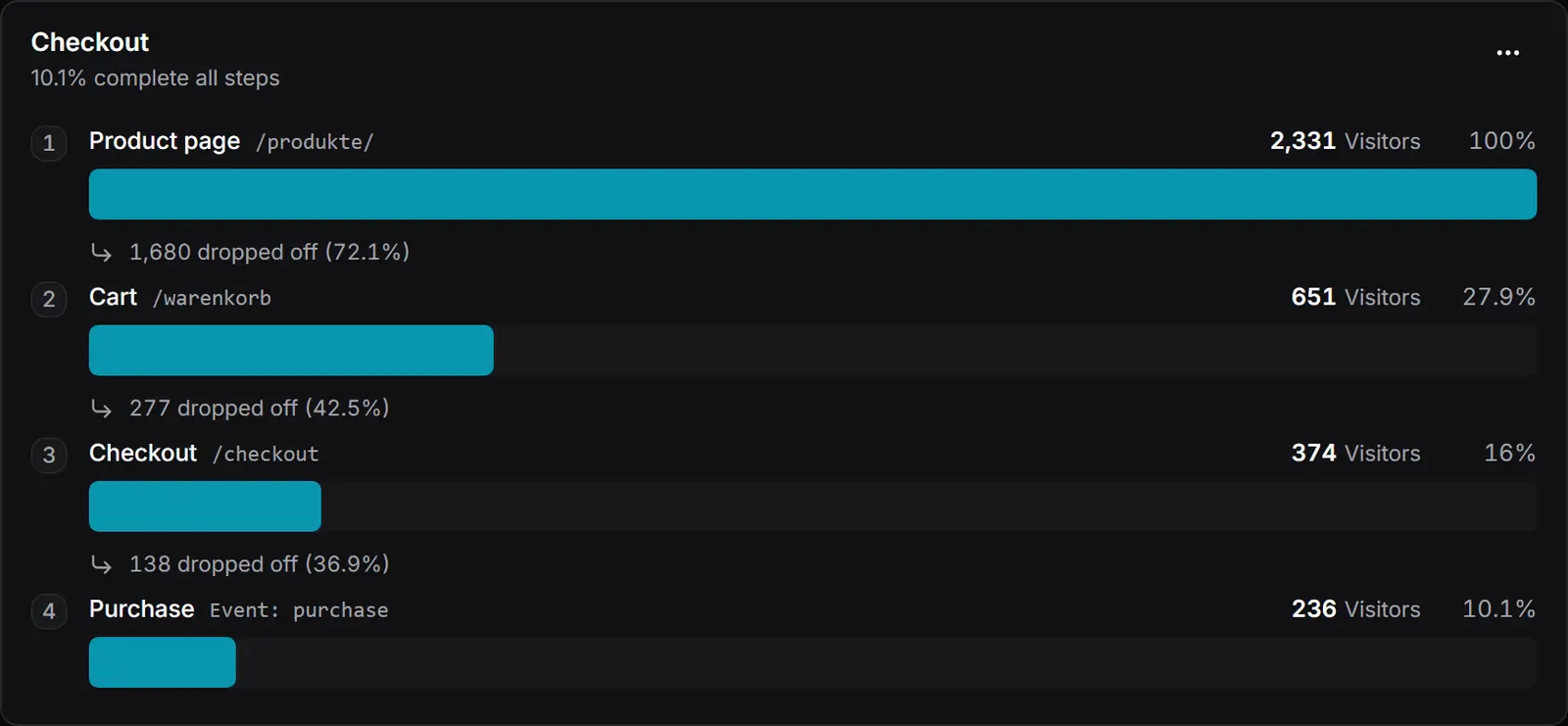
See at which step visitors drop off: from product page to cart to purchase.
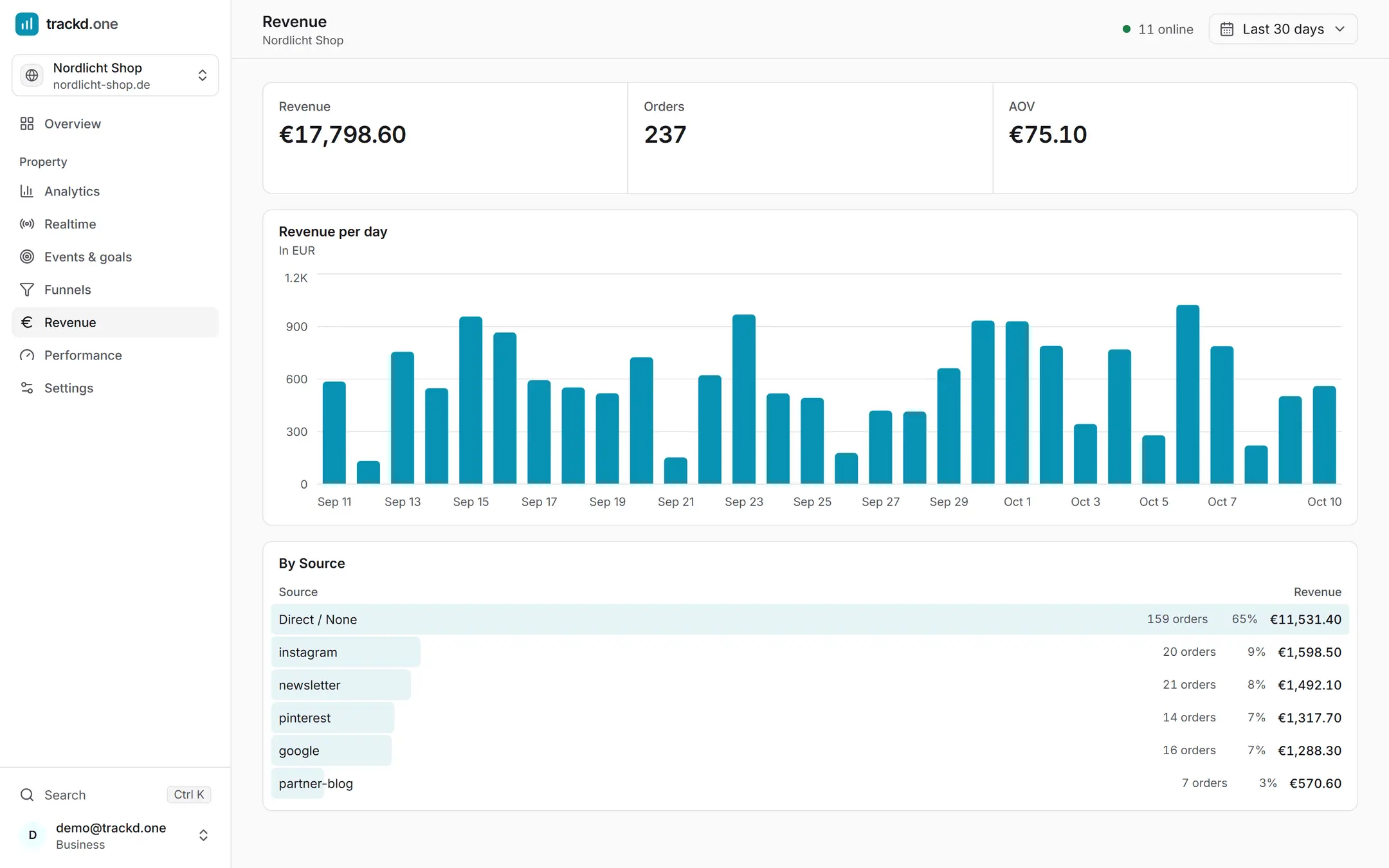
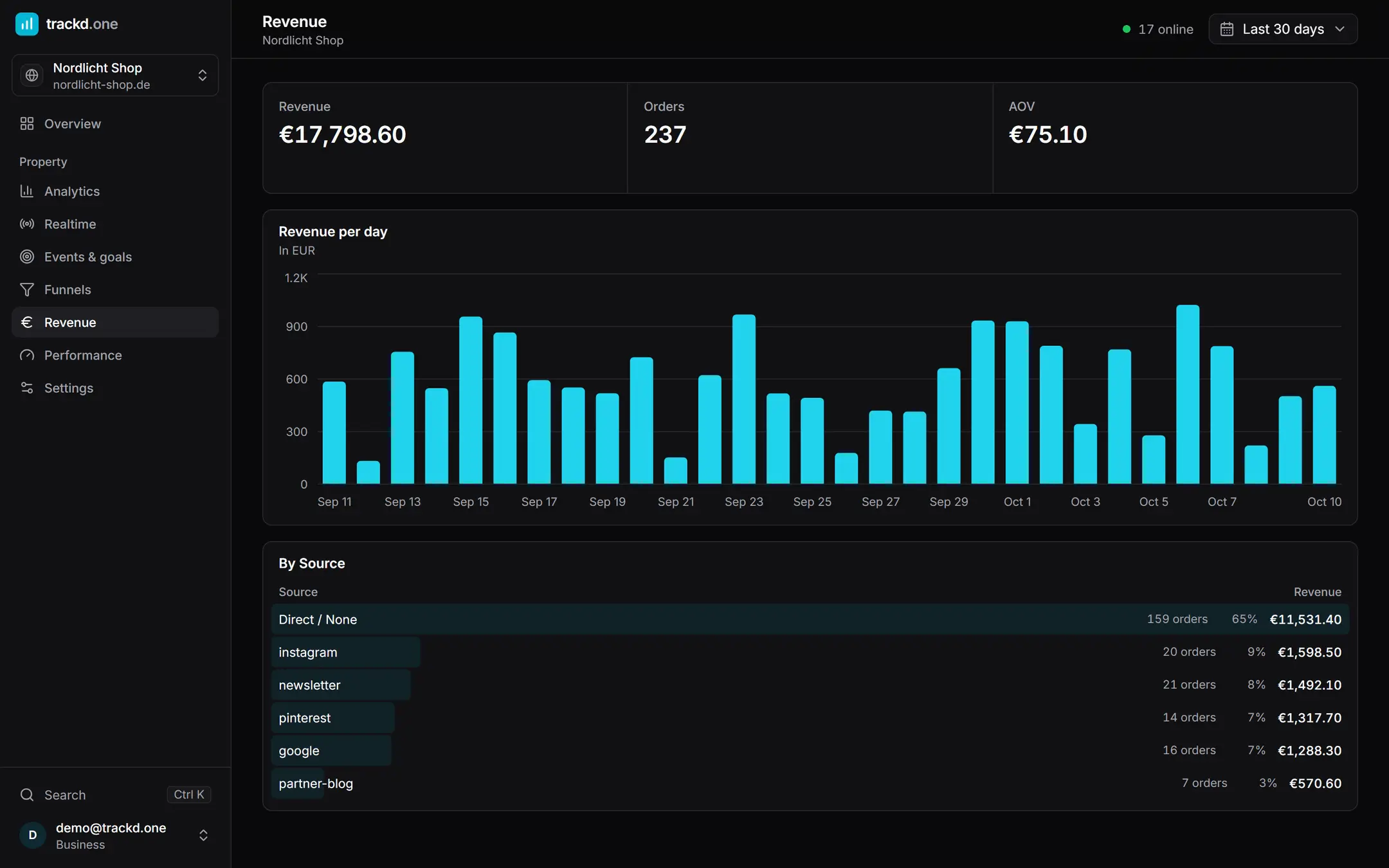
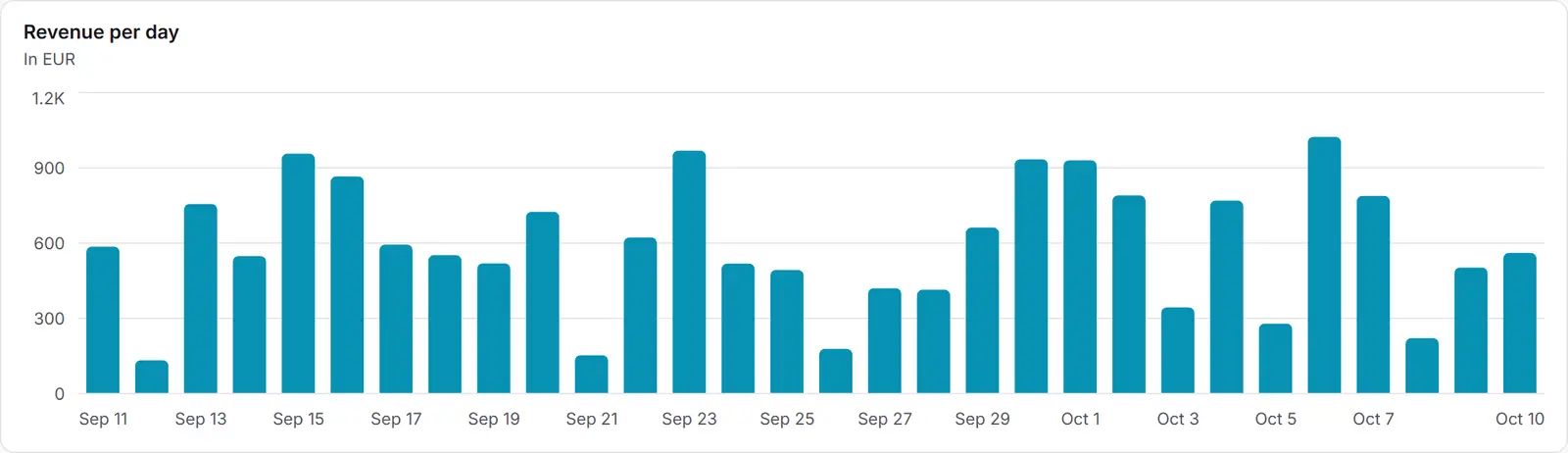
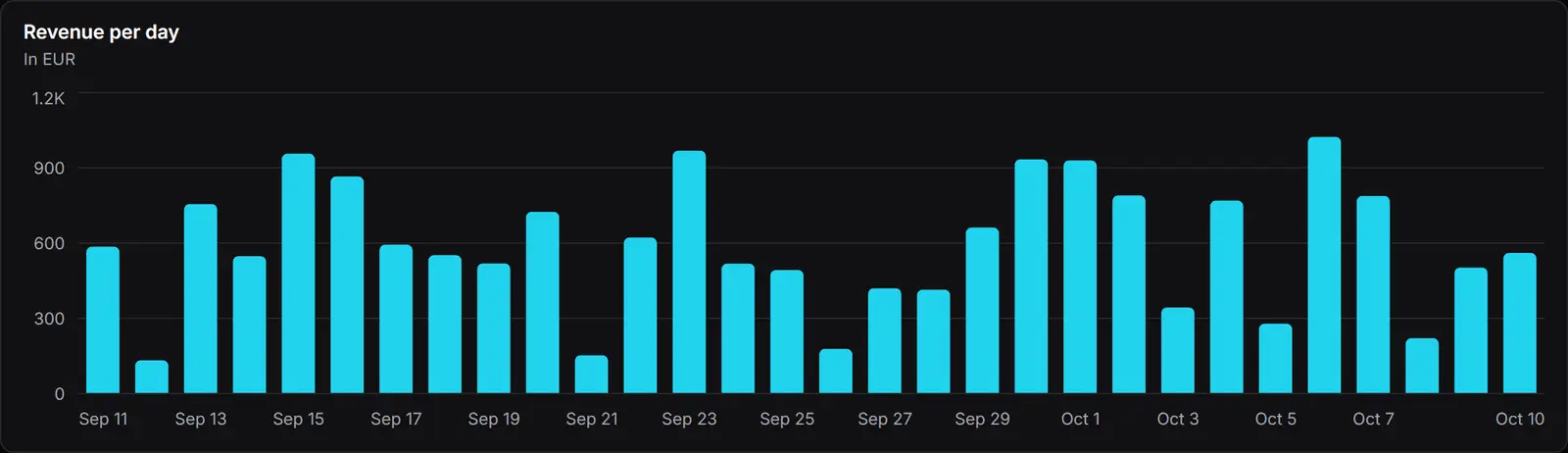
Revenue, orders and average order value per day — and which campaign brought in how much.
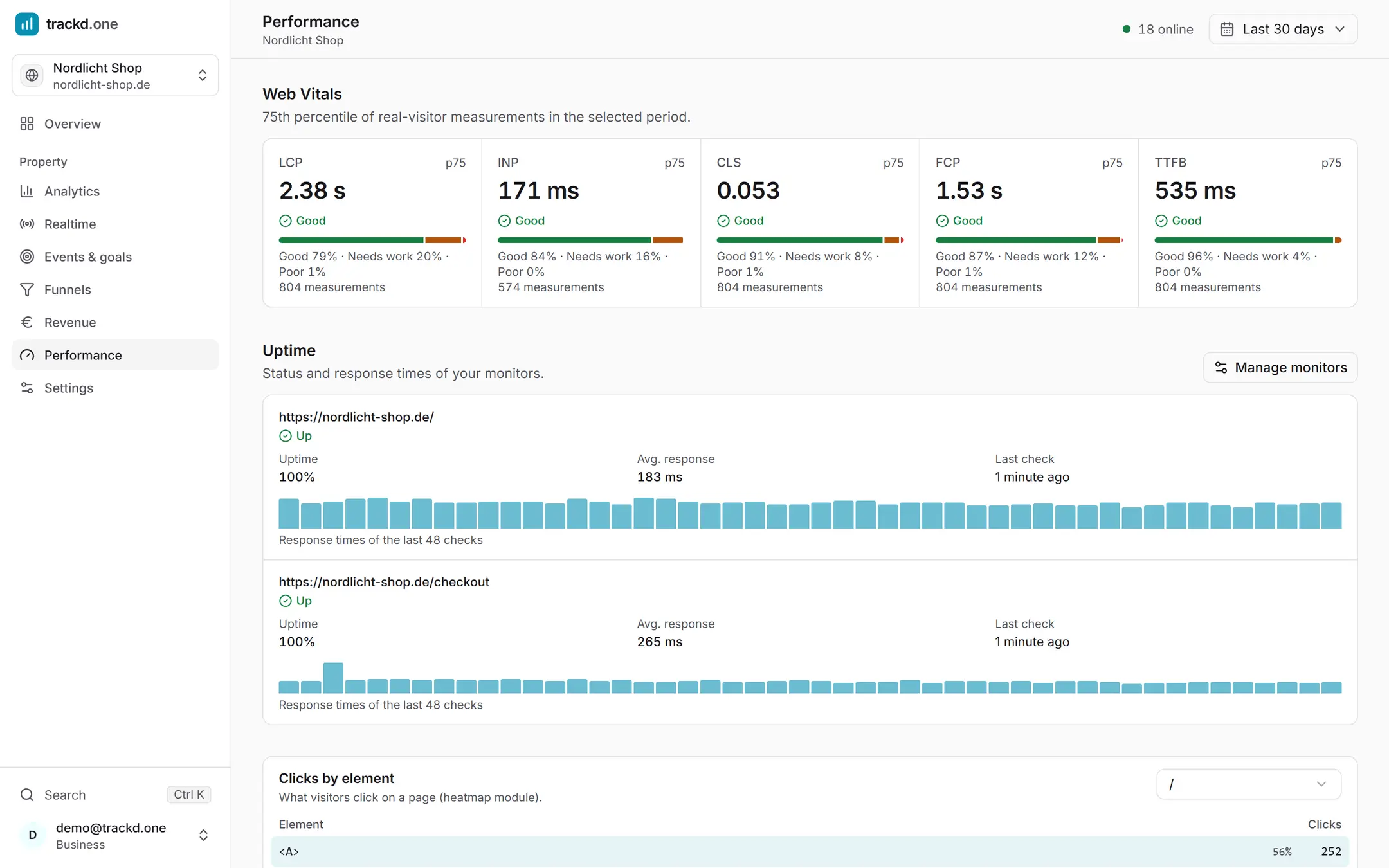
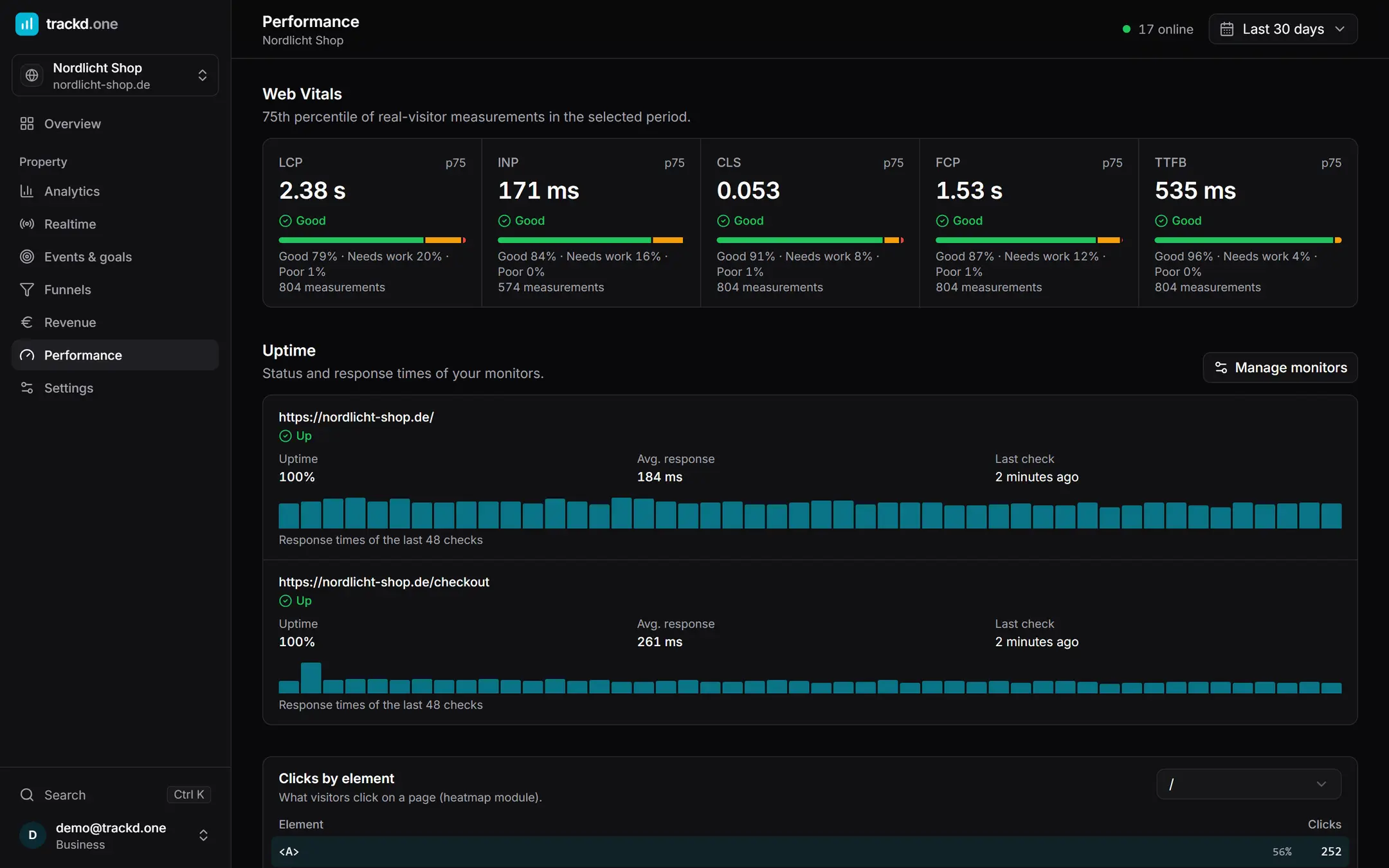
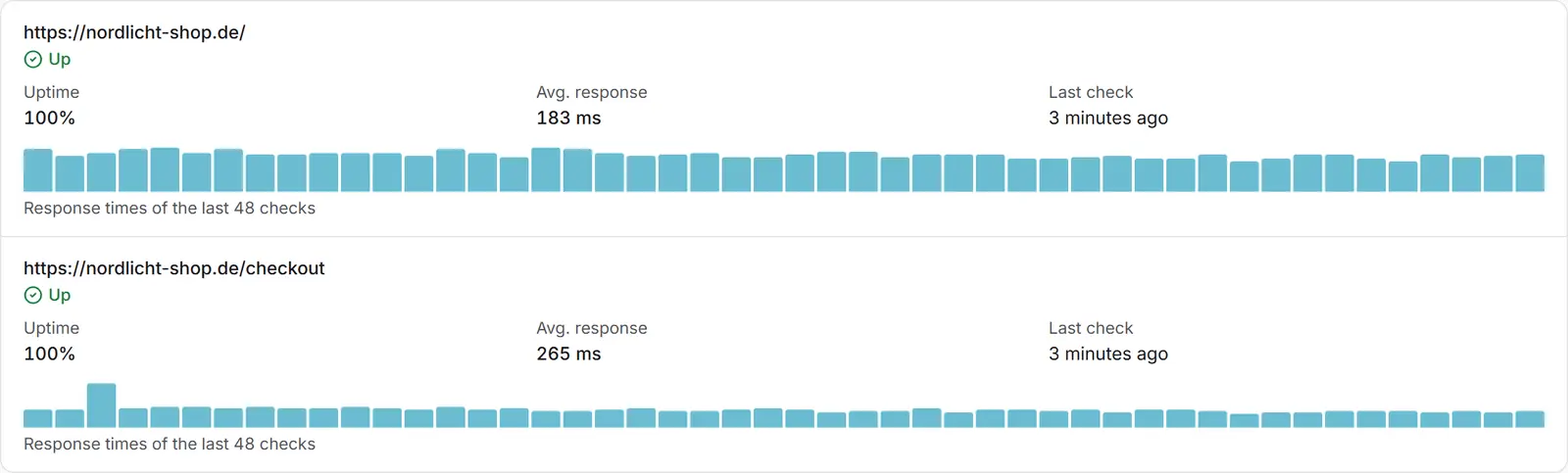
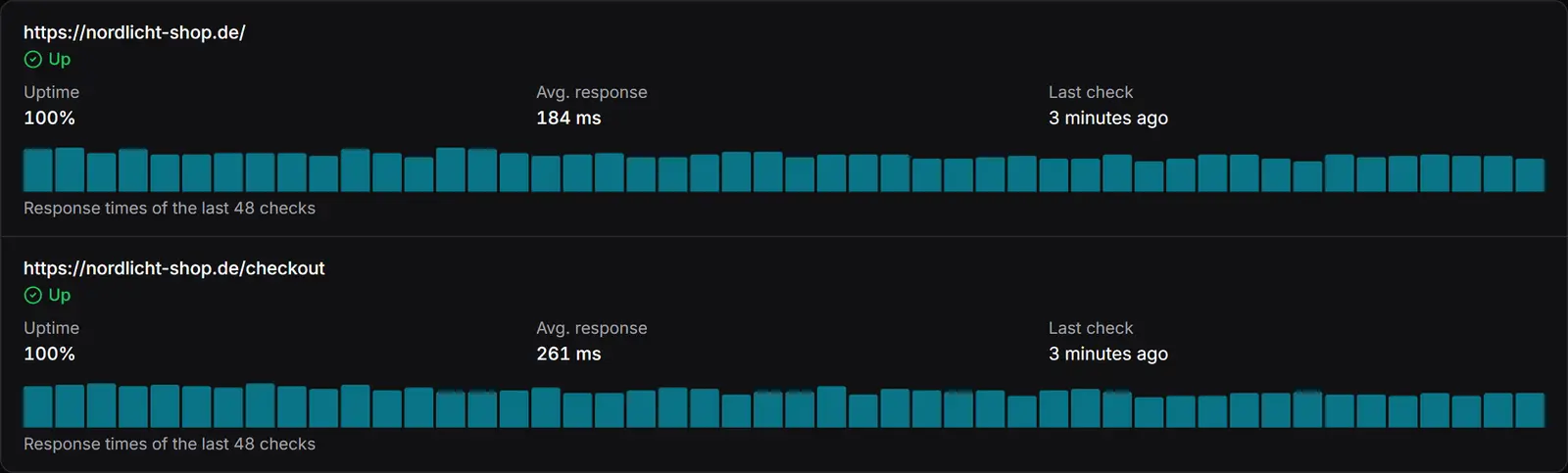
Web Vitals of real visits as p75 and uptime monitors with response times — in the same view.
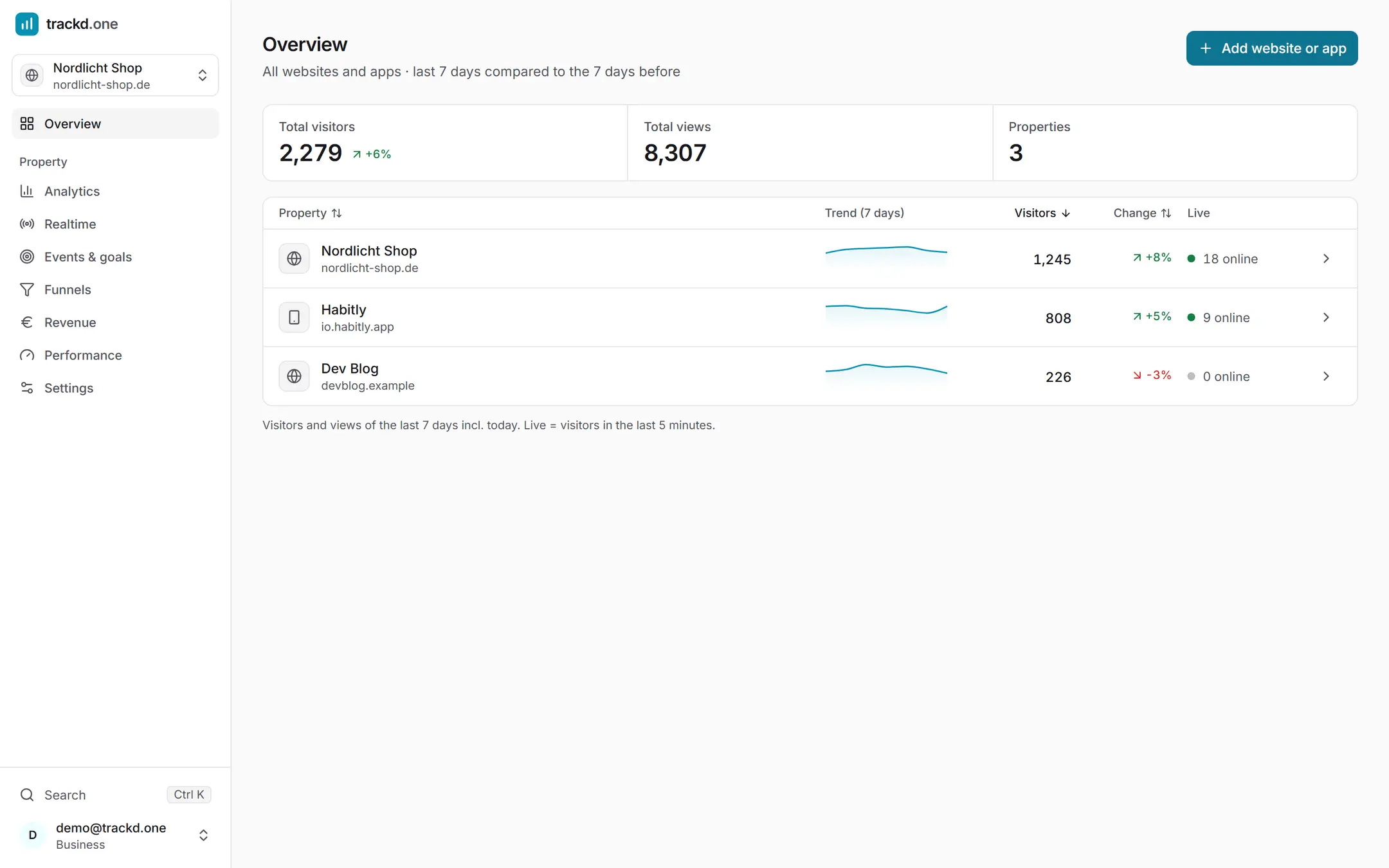
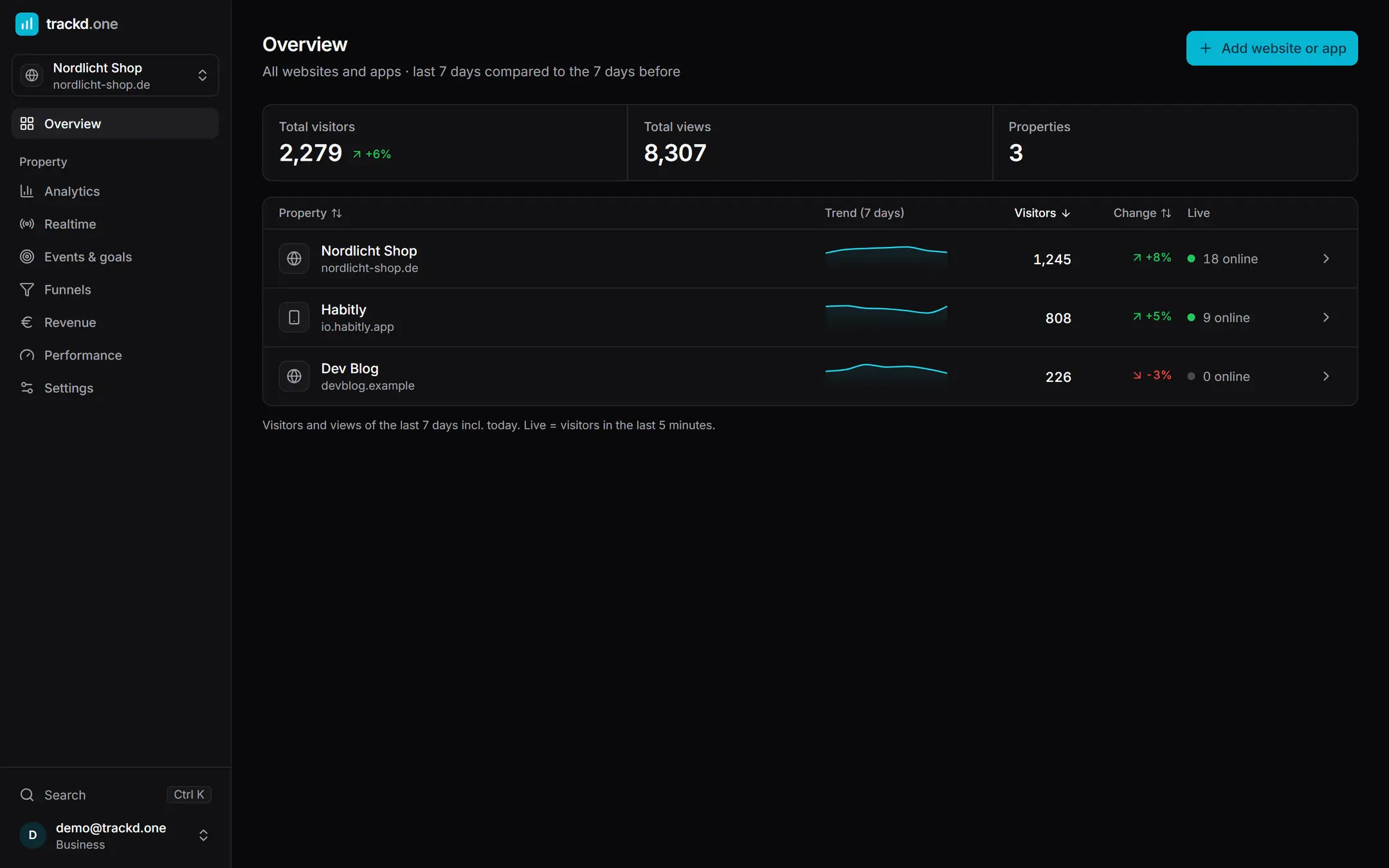
All websites and apps at a glance: visitors of the last 7 days, trend, change and who is online right now.
One dashboard for web and apps
Measure websites with one line of code and apps with one SDK file. Everything lands in the same account and the same event pool.
Website
Paste the script into your <head> — pageviews, referrers and UTM campaigns are collected automatically, single-page apps included.
<script defer src="https://trackd.one/t.js"
data-website="YOUR_WEBSITE_ID"></script>- Automatic pageviews, also with client-side routing
- Custom events and revenue with trackd.track()
- Web Vitals as an optional module (≈ 1.5 KB), via data-vitals="true"
Apps & games
SDKs for Android and JavaScript (iOS and Flutter in progress) batch events, bridge short offline periods and use no device IDs. Try it — tap the phone:
Space Quest
Privacy-friendly analytics demo
Event feed
- Tap the phone to generate events
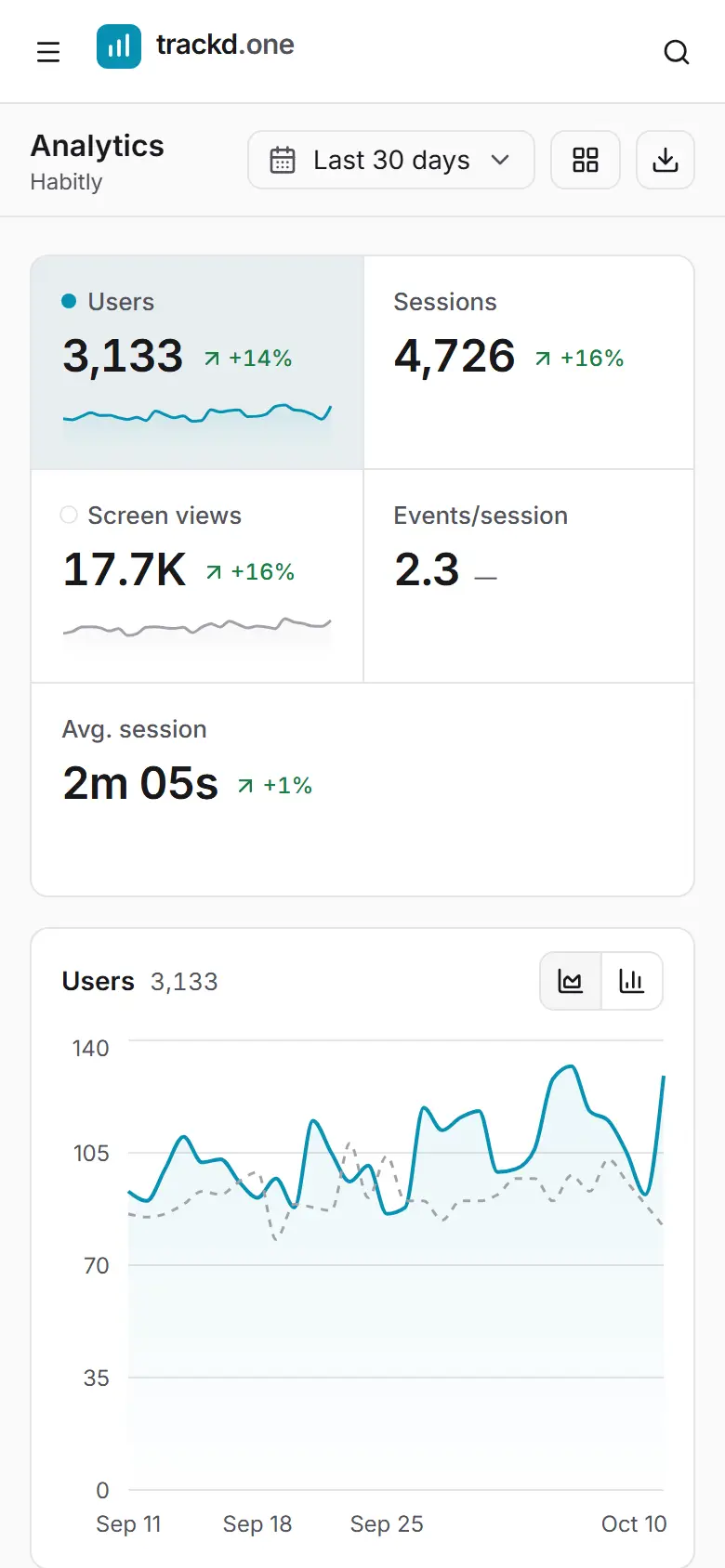
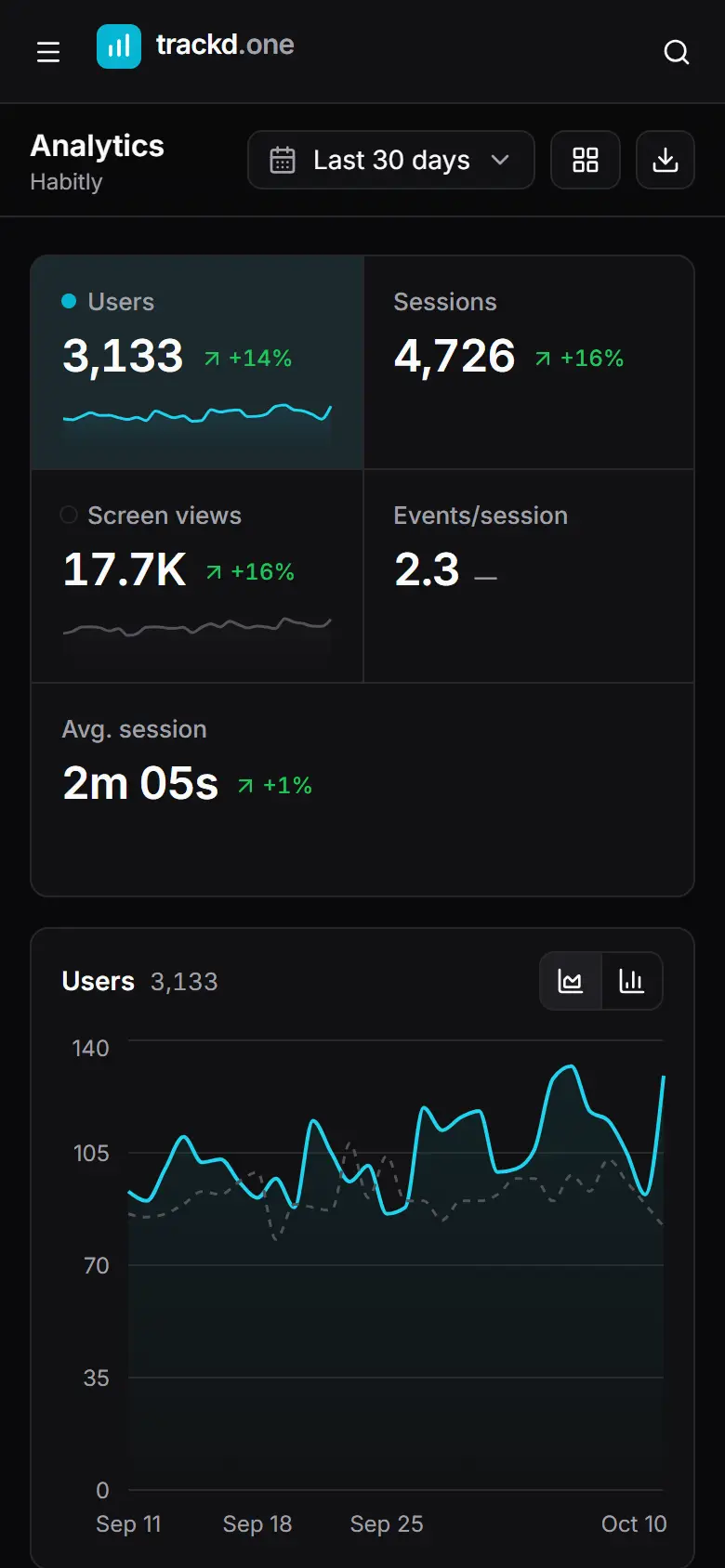
Easy to read on the go
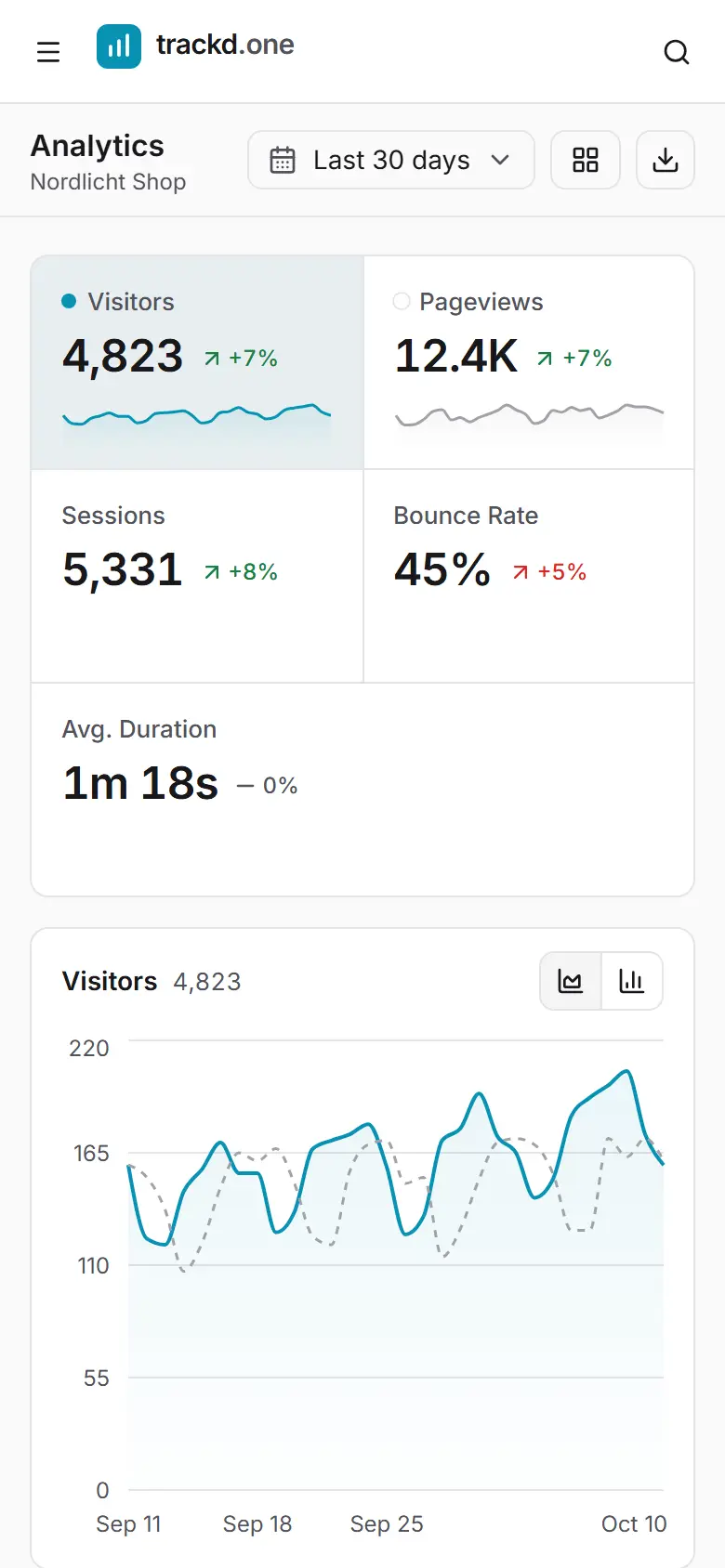
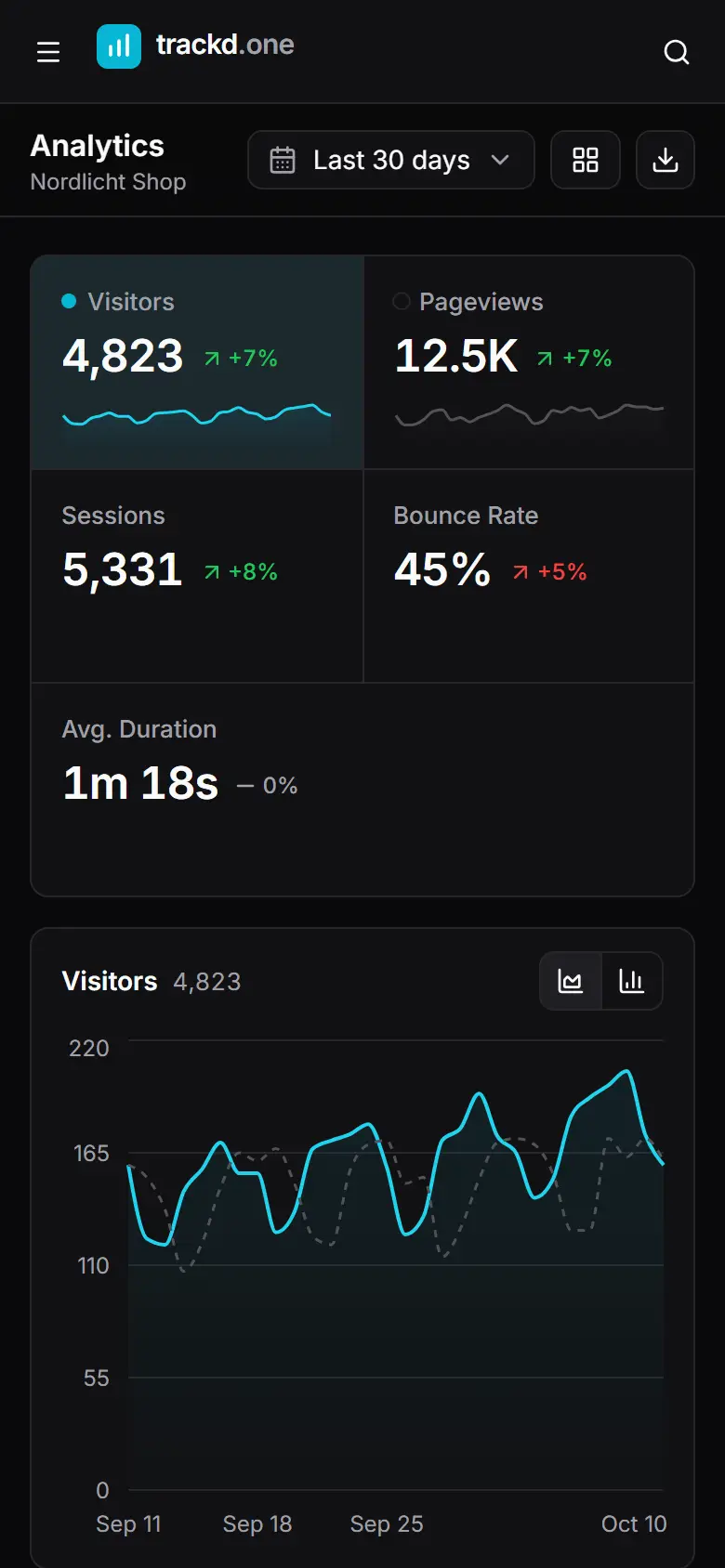
The dashboard is built for small screens — not just scaled down. Checking how a launch is going works on the train, too.
- Metrics, trend and top lists stacked
- Same filters and periods as on desktop
- Websites and apps in the same account
Privacy you can verify
Here is exactly what trackd.one does and doesn't do — documented, not just claimed.
No cookies
The tracking script sets no cookies and uses neither localStorage nor sessionStorage. Nothing is stored on your visitors' devices.
IPs are never stored
The IP address only goes into a SHA-256 hash with a random salt that changes daily; the IP itself never reaches the database. The daily salt is deleted every day; once the backup retention period (max. 30 days) has expired, not even we can link visits to an IP.
Auto-delete
Expired data is deleted automatically every day: individual records after at most 400 days, aggregated statistics after 3 years (Pro) or 5 years (Business), depending on your plan; Enterprise individually up to 10 years. Without a booked plan, data is deleted 30 days after the trial or subscription ended.
What you need — nothing you don’t
The reports that matter in one calm dashboard, for websites and apps.


Real time
Active visitors, pages and sources — updated every 15 seconds, no reload.
Goals & funnels
Goals from pageviews or events — and see at which step visitors drop off.
Revenue
Track purchases with trackd.revenue(): revenue, orders and average order value by source.


Web Vitals
LCP, INP, CLS, FCP and TTFB of real visits as p75 — rated good / poor.
Alerts & uptime
Checks every 5 minutes. Notifications by email, Slack or webhook on downtime or traffic drops.
API & export
Read API with API keys and export as CSV/JSON: pageviews, events (incl. revenue), sessions, Web Vitals.
trackd.one or Google Analytics?
According to W3Techs, Google Analytics runs on 43.7% of all websites. The difference lies less in the price than in consent, data gaps and data location.
| Criterion | trackd.one | Google Analytics 4 (+ Firebase for apps) |
|---|---|---|
| Cookies | trackd.oneNo cookies, no localStorage, no fingerprinting | Google Analytics 4 (+ Firebase for apps)Sets cookies (e.g. _ga) to recognise visitors |
| Data use | trackd.oneOnly for your statistics — no advertising use, no selling of data | Google Analytics 4 (+ Firebase for apps)Depending on settings, Google also uses data for its own purposes under its terms |
| Websites + apps | trackd.oneOne tool, one event pool: websites and Android apps (iOS and Flutter in progress) | Google Analytics 4 (+ Firebase for apps)Web via GA4, apps additionally via the Firebase SDK |
| Retention | trackd.oneAggregated statistics 3 to 5 years depending on plan (Enterprise up to 10 years) | Google Analytics 4 (+ Firebase for apps)Event data at most 14 months in standard GA4 |
| Ease of use | trackd.oneOne clear dashboard, set up in minutes | Google Analytics 4 (+ Firebase for apps)Very extensive but complex (reports, explorations, event configuration) |
Short version. Sources, caveats and all criteria are in the detailed comparison.
Pricing
One event pool for all websites and apps. Paid plans keep collecting above the limit (up to 3× the allowance).
Pro
Fits your volumeFor makers, indie apps and small businesses
€9/month
incl. 19% VAT · net €7.56
First 7 days free — no credit card
- 10 projects (websites or apps)
- 250,000 events/month — one pool for web + apps
- Statistics kept for 3 years
- Owner + 3 team members
- API & funnels
Business
For teams, agencies and growing products
€29/month
incl. 19% VAT · net €24.37
First 7 days free — no credit card
- Unlimited projects (websites or apps)
- 1M events/month — one pool for web + apps
- Statistics kept for 5 years
- Unlimited team members
- Everything in Pro incl. API & funnels
- White label & embeds
Enterprise — on request
From 10M events per month, retention individually up to 10 years, SLA and DPA terms by arrangement.
All prices incl. 19% VAT · cancel monthly · yearly plan: 12-month term, then consumers can cancel with one month's notice
All prices are final prices. Under the reverse-charge procedure (businesses with a valid VAT ID from another EU country) no VAT is shown — the amount stays the same.
Collection continues above the limit (no automatic upgrade, no extra charges). Every new account starts with a 7-day Business trial without a credit card; afterwards collection pauses until you book a plan.
Frequently Asked Questions
More answers in the documentation.
Do I need a consent banner?
How do you count unique visitors without cookies?
Where is my data stored?
Can I export my data?
How big is the tracking script?
What happens if I exceed my event limit?
What happens when I cancel?
Ready to respect your visitors?
Try all Business features free for 7 days — no credit card, nothing is booked automatically.